戻る
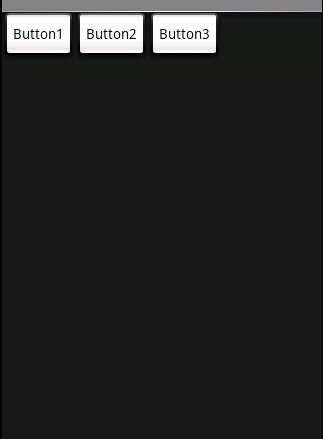
ボタンの表示 †
ボタンの属性 †
Buttonの属性
ボタンを配置&クリック認識をさせる際のフォーマット (xml) †
import android.app.Activity;
import android.os.Bundle;
import android.widget.*;
import android.view.*;
import android.view.View.*;

public class TestTest extends Activity implements OnClickListener{

   public void onCreate(Bundle savedInstanceState) {
       super.onCreate(savedInstanceState);
       setContentView(R.layout.main);

       // ボタンがクリックされた時に呼び出されるコールバックを登録
       Button button1 = (Button) findViewById(R.id.button_id);
       button1.setOnClickListener(this);

       // ボタンがクリックされた時に呼び出されるコールバックを登録
       Button button2 = (Button) findViewById(R.id.button_id);
       button2.setOnClickListener(this);
   }

   public void onClick(View v) {
       // ボタンがクリックされた時に呼び出される
       //Button button = (Button) v;

       //ボタンを押した時の処理
       if (v==button) {
           showDialog(this,"","ボタンを押した ");
       }

   }
}
<?xml version="1.0" encoding="utf-8"?>
<LinearLayout xmlns:android="http://schemas.android.com/apk/res/android"
   android:orientation="vertical"
   android:layout_width="fill_parent"
   android:layout_height="fill_parent"
   >
<TextView
   android:layout_width="fill_parent"
   android:layout_height="wrap_content"
   android:text="@string/hello"
   />

<!-- ボタンの定義。android:idを定義することでJavaから取り出せる  -->
<Button
   android:id="@+id/button_id"
   android:layout_width="wrap_content"
   android:layout_height="wrap_content"
   android:text="@string/button_label"
   />
</LinearLayout>
ボタンを配置&クリック認識をさせる際のフォーマット (直書きの場合) †
import android.app.Activity;
import android.os.Bundle;
import android.widget.Button;

public class Test extends Activity {
    protected void onCreate(Bundle icicle) {
        super.onCreate(icicle);

        Button button = new Button(this);
        button.setText("button");
        setContentView(button);
    }
}
参考 †
日本Androidの会
戻る
![[PukiWiki]](image/pukiwiki.png "[PukiWiki]")