![[PukiWiki]](image/pukiwiki.png "[PukiWiki]")
| [HP Top] |
レイアウトの概要 † ViewとViewGroupの組み合わせで、アプリに配置する部品のレイアウト設定が可能
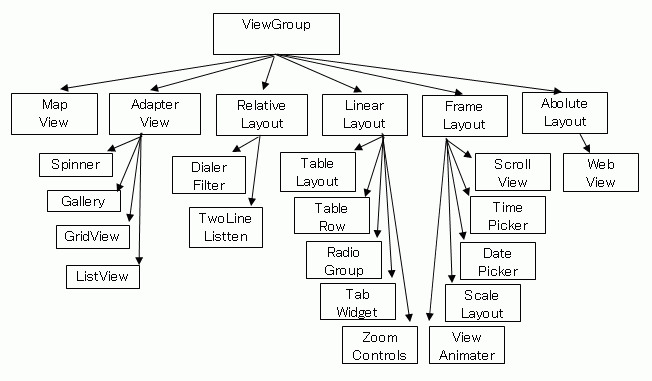
ViewとViewGroup † ・Viewの集まりをViewGroupという ViewGroup を取り巻くクラス †ViewGroupとその継承関係を以下に記述する レイアウトの種類 †
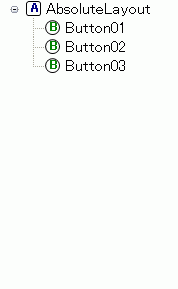
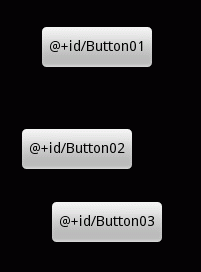
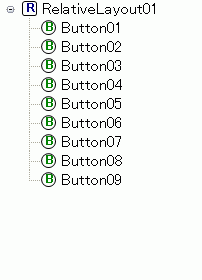
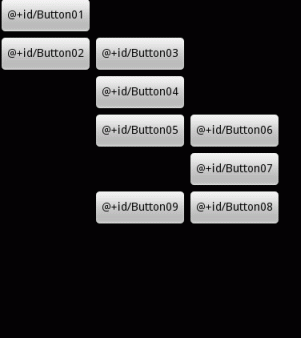
Ⅰ.Absolute layout † ・部品の配置を 【絶対座標】 で指定するレイアウト。 絶対座標の指定 † layout_x 部品の幅・高さ指定 † layout_width Ⅱ.Relative layout † 相対的な位置指定をするレイアウト。また,上端や下端にレイアウトするといった指定を行うことも可能
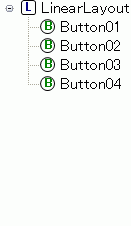
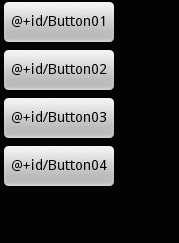
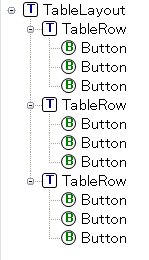
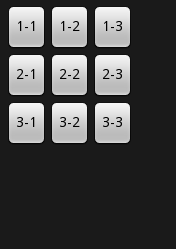
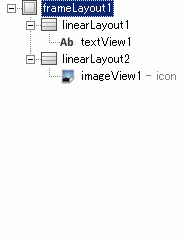
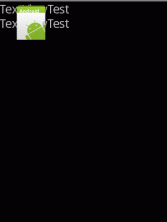
「基準の位置を変更すれば、それに伴いほかのウィジェットも自動的に位置が調整できる」「斜めや円形にも配置が可能」というメリットがある一方、 Ⅲ.Linear layout †Liner Layoutは、縦向きまたは横向きに一直線にウィジェットを並べるレイアウト Ⅳ.Table layout †表形式に並べるレイアウト 参考:ボタンのレイアウト 参考:画面の作り方 参考:Android Developer Ⅴ.Frame layout † Frame Layoutは、Viewを重ねる時に利用しやすいレイアウト
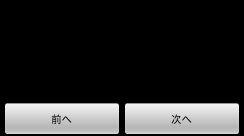
応用 †半分半分 † レイアウトのxml例 <LinearLayout
android:id="@+id/linearLayout1"
android:layout_width="fill_parent"
android:layout_height="wrap_content">
<Button
android:layout_width="0dip"
android:layout_weight="1"
android:text="前へ"
android:id="@+id/Button01"
android:layout_height="wrap_content" >
</Button>
<Button
android:layout_width="0dip"
android:layout_weight="1"
android:text="次へ"
android:id="@+id/Button02"
android:layout_height="wrap_content"
android:layout_alignParentRight="true">
</Button>
</LinearLayout>
Viewのプロパティ † ・nextFoxusDown - フォーカスが下方向に遷移した時の遷移先Viewを定義 ViewGroupのプロパティ †
表現単位 † レイアウト指定で利用可能な単位
縦向きレイアウトと横向きレイアウト †横向き画面には、"Layout-land"用フォルダを用意する。 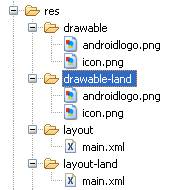 横向き画面にしたくない場合 †ManifestFile.xmlで横画面にしたくない該当Activityに「android:screenOrientation="portrait"」を加えてやることで、横回転しなくなる。 AndroidManifest.xml <application android:icon="@drawable/icon" android:label="@string/app_name">
<activity android:name=".Activity1"
android:label="@string/app_name"
android:screenOrientation="portrait"> ←★コレ★
</activity>
・
・
</application>
|